Configuration
Per-repository settings
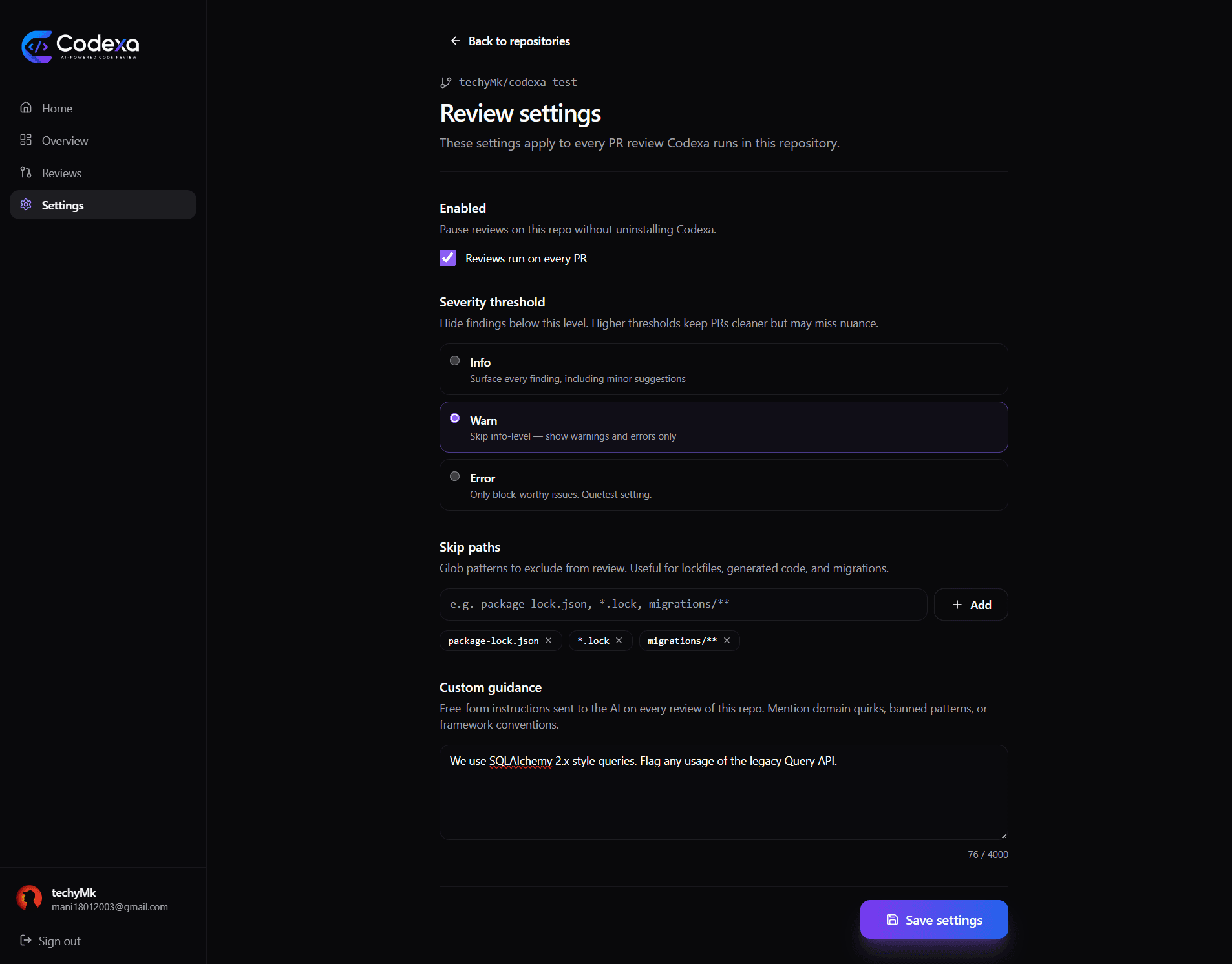
Customize how Codexa reviews each repo. Available at /dashboard/settings/repos after sign-in.
Skip paths
Glob patterns of files to exclude from review. Codexa strips matching files from the diff before sending to the AI — saves tokens and prevents noisy findings on auto-generated code.
examplespackage-lock.json
yarn.lock
*.lock
**/migrations/**
dist/**
*.generated.ts
Patterns use shell-style globs (fnmatch) — not full regex. Use ** to match any number of path segments.
Severity threshold
Hide findings below the chosen level. Three options:
- Info — surface every finding, including style suggestions
- Warn — skip info-level; show warnings and errors only
- Error — only block-worthy issues. Quietest setting.
The threshold is applied after the AI generates findings — the prompt itself doesn't change. If you want the AI to actively look harder for serious issues, use the Custom guidance field instead.
Custom guidance
Free-form instructions sent to the AI on every review of this repo. Use this for:
- Framework conventions specific to your stack
- Banned patterns or libraries
- Domain quirks the AI couldn't infer from the diff alone
- Style guides you want enforced
Query API.""This is a healthcare app. PHI must never appear in logs — flag any
log.info that includes user fields.""Skip nits about var naming. We have a separate linter for that."
Disabled toggle
Pause reviews on a repo without uninstalling Codexa. Useful when you're landing a huge refactor and don't want comment noise on every PR.
Where to configure
Sign in to your dashboard → Settings → Per-repository settings → pick the repo. Settings save instantly and apply to the next PR review.